Chat with Files & AI Summaries
Audeus goes beyond standard text-to-speech by integrating a conversational assistant directly into your reading workspace. This tool allows you to chat with pdf documents, ebooks, and uploaded files, converting your reading materials into an interactive dialogue.
By utilizing advanced language models, the built-in ai document summarizer can generate bulleted points, explain formulas, or extract data from any file in your library, which is especially useful during research review when you need grounded answers with citations.
Getting Started with Document Chat
To interact with your files on the Web Reader:
- Open a Document: Load any PDF, Microsoft Word document, EPUB ebook, or scanned page.
- Launch the Assistant: Click the AI Chat sparkle icon in the right sidebar. This opens the vertical conversational panel.
- Ask Custom Questions: Type your queries in the chat input field at the bottom (such as asking for a summary, extracting key takeaways, or explaining a formula). The document chat ai will analyze the text of the open file and generate a precise response.
You can also chat with word files or imported web pages. For example, you can ask the assistant to summarize docx file contracts or explain complex sections. This transforms your document viewer into a conversational pdf reader where you can ask questions to pdf pages without manual reading.
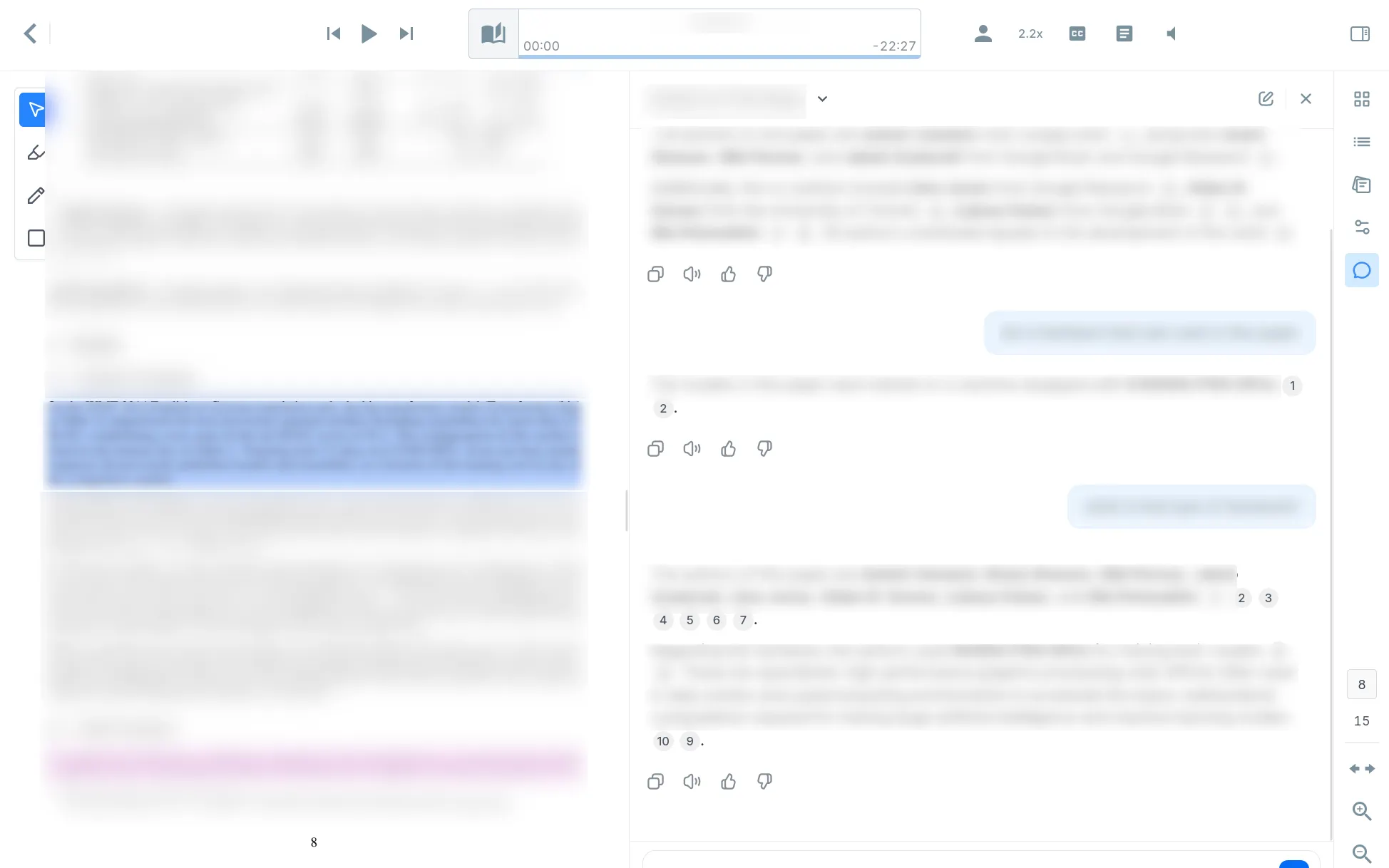
Fact Verification & Interactive Citations
To ensure information is accurate and trustworthy, the AI assistant includes precise references to the source text. Unlike many other AI document chat tools, this makes Audeus a private, high-fidelity chatpdf alternative with built-in visual evidence:
- Inline Citations: Every key fact generated in the response is tagged with an interactive citation chip (such as [1] or [2]).
- Click-to-Scroll Verification: Clicking a citation chip lets you verify pdf citations by scrolling directly to the source. The document reader will instantly snap to center and highlight the exact sentence or paragraph where the fact was found.
- Annotation Referencing: If you have used our tools to Highlight, Comment & Draw on Documents, you can ask the AI about your custom notes, and it will reference those annotations in the chat.
Frequently Asked Questions
Does the AI Chat work on scanned PDFs and images?
Yes, once our built-in scanner processes scanned pages via OCR, the text coordinates are indexed. You can chat with the extracted text, ask questions, or summarize the page content immediately.
Can the AI analyze multi-chapter textbooks?
Yes, the reader handles large uploads and acts as an advanced ai textbook summarizer. You can ask for summaries of specific pages, chapters, or concepts, and Audeus will pinpoint the answers instantly.
Can I listen to the conversational responses?
Yes, the chat sidebar is fully integrated with our text-to-speech playback controls. You can listen to the AI's responses by clicking the audio play button. To configure this feature, see our guide on how to Listen to AI Chat Responses.
How do I verify the source of an AI response?
You can click any inline citation chip in the response. Audeus will instantly scroll and highlight the source paragraph so you can verify the details yourself.
Are my document conversations saved?
Yes, Audeus automatically saves your document chat history. You can open the conversation list in the sidebar to review past chat transcripts, delete old threads, or start a new chat sessions.
Is it possible to customize the AI's prompts?
You can type any specific guidelines or formats in the chat box to modify the response. For a list of recommendations on how to structure your prompts for studying or active research, check our guide on the Best AI Prompts for Research & Studying.