Enable TTS Closed Captions
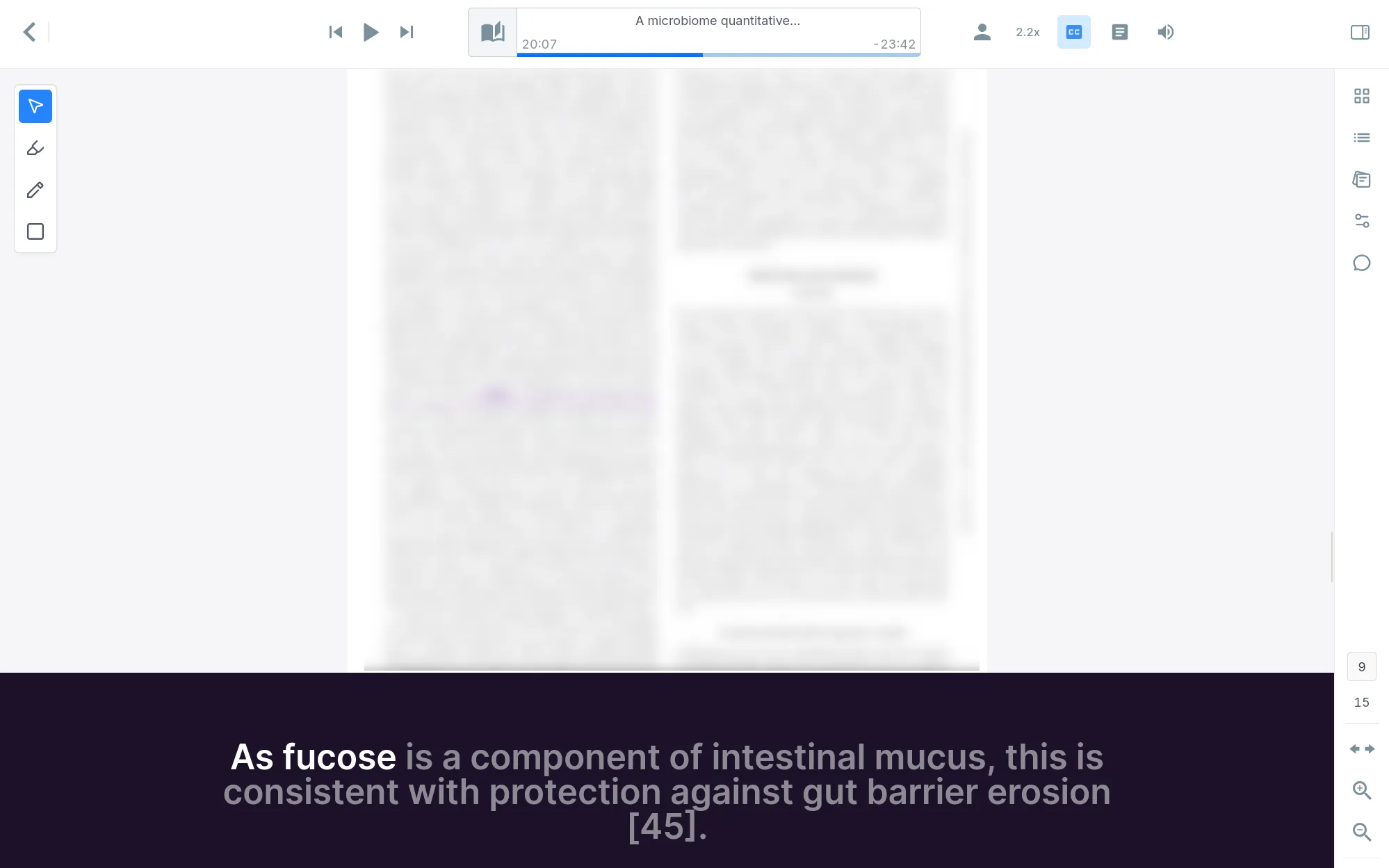
The Audeus Closed Captions feature provides an immersive, distraction-free subtitle experience designed to make reading more accessible and visual. Available exclusively on the Web Reader, closed captions place a large-text display bar at the bottom of your screen that shows the currently read sentence and tracks the spoken word in real-time.
Instead of scanning small print across busy layouts, you can sit back and visually follow a single, large-print sentence as the AI narrator speaks. This bimodal reading approach (combining visual subtitles with spoken audio) is especially helpful when you want larger text tracking, including for low vision reading.
How to Enable Closed Captions on the Web Reader
Activating the subtitles drawer takes just a single click inside the document viewer:
- Open any document in your library on the Web Reader.
- Locate the Closed Captions (CC) icon in the top toolbar controls (positioned next to the Preferences and Chat icons).
- Click the icon to toggle subtitles on. A large, dark purple closed captions drawer will slide up from the bottom of your screen.
- Press play. The active sentence will appear in large, bold, centered text. As the narrator speaks, each word is highlighted in real-time, while upcoming words are dimmed to guide your visual tracking.
If you ever want to hide the subtitles, simply click the Closed Captions (CC) icon in the top toolbar again to slide the drawer away.
Frequently Asked Questions
Can I customize the size of the closed captions text?
The closed caption text is designed to scale dynamically. It automatically adjusts its size to match the width and dimensions of your browser window, ensuring that subtitles remain highly readable whether you are using a compact side-by-side layout or a full-screen desktop monitor.
Which platforms support Audeus closed captions?
Closed captions are designed exclusively for the desktop Web Reader. This full-width subtitle layout provides optimal readability on larger monitors and laptop screens. For the Mobile App and Browser Extension, visual word-by-word tracking is integrated directly within the main page text using synchronized background highlights.
Does this work with uploaded PDFs and ePub documents?
Yes. As long as your document has a readable text layer, the closed captions drawer will parse the sentences and display them in sync with the audio. If you upload a scanned image or non-selectable PDF, you can process the file using our built-in OCR (Optical Character Recognition) tool to unlock full subtitle and highlighting compatibility.