Listen to Screenshots and Images
Screenshots, photos on your cameraroll, and image files often hold the text you need to review: chat threads, slide decks, articles, or notes you already captured. Audeus extracts that text with OCR and reads it aloud so you can listen instead of squinting at a still image.
Supported image formats include JPG, JPEG, PNG, and WEBP. For a broader overview of scanning physical pages and image uploads, see Scan and Read Images & Physical Books.
Mobile: Upload Photos and Screenshots
Use this when the content already lives on your phone: screenshots, camera-roll photos of slides, or pictures of printed pages you want to hear aloud.
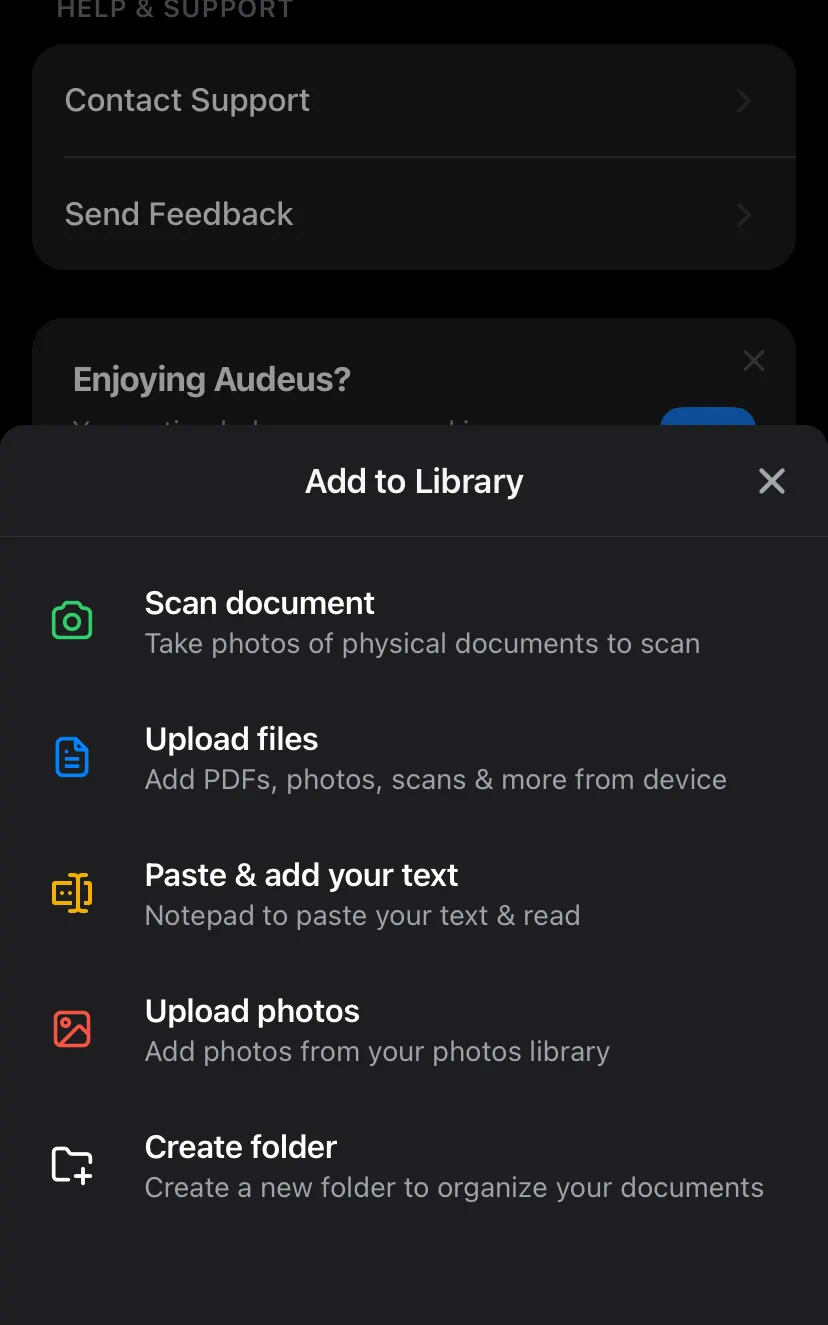
- Open the Audeus mobile app (iOS or Android).
- Tap the Add (plus) icon on the library screen.
- Select Upload photos to pick screenshots or images from your camera roll (or use Scan document if you still need to capture a page).
- Select one or more images. Reorder or remove pages in the document creator if needed.
- Save. Audeus processes the images and opens a library document ready to play.
This mobile path is the screenshot- and photo-focused companion to the Scan Photos and Physical Materials flow. Use scan when you are capturing live pages; use upload when the images are already on your device.
Web: Desktop Screenshots
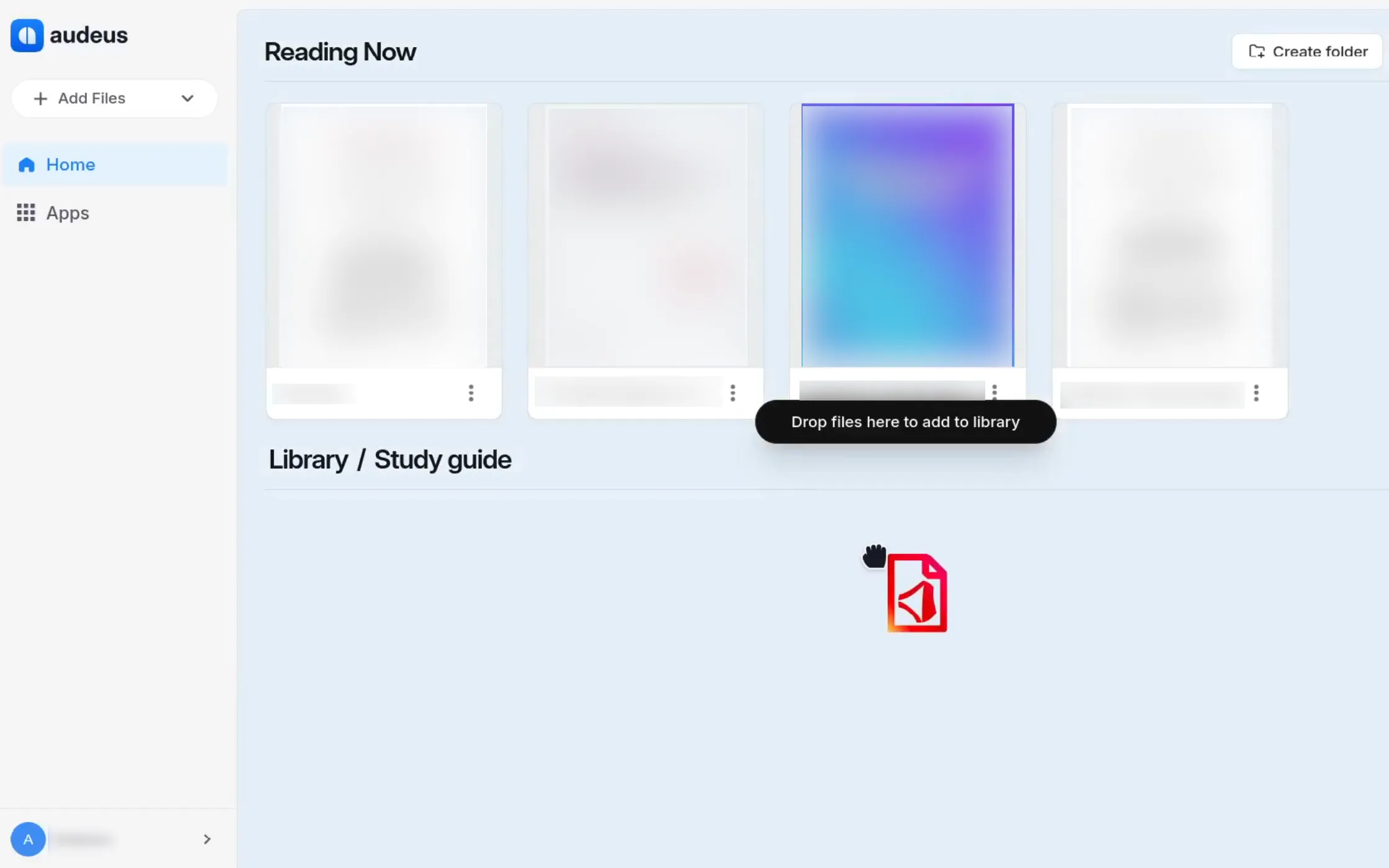
On a computer, import screenshots and image files directly into the Web Reader:
- Log into the Web Reader or open your Library.
- Click Add files and choose Images, or drag and drop image files into the browser.
- Select JPG, JPEG, PNG, or WEBP files from your computer.
- Audeus processes each image, extracts the text, and adds the document to your library.
Desktop screenshots of articles, dashboards, or PDFs work the same way as any other image upload. For camera-based scanning of physical materials, see Scan Photos and Physical Materials and the full scan and images guide.
Frequently Asked Questions
Can I upload multiple screenshots at once?
Yes. On the Web Reader, drag and drop several image files together. On mobile, select multiple photos and reorder them before saving as one document.
What if my screenshot is of a scanned PDF page?
Upload it as an image, or upload the PDF itself. Flat scanned PDFs are handled by Read Scanned PDFs with OCR.
Which image formats are supported?
JPG, JPEG, PNG, and WEBP.
Do uploaded screenshots sync to my other devices?
Yes. Once processing finishes, the document appears in your library on the Audeus Web Reader, Library, and mobile apps. See Sync Documents Across Devices.
Can I annotate text after OCR finishes?
Yes. After text is extracted, you can highlight and comment using Highlight, Comment & Draw on Documents, and jump with Click-to-Jump.