Install Safari Extension
Bring your web pages to life on macOS. The Audeus Safari text-to-speech extension is deeply integrated into the Apple desktop environment, providing an unmatched, battery-efficient reading experience for Mac users. With premium, hyper-realistic AI voices, advanced speed reading controls (up to 3.5x), and real-time cross-device syncing, you can listen to articles and documents effortlessly.
With native integrations for popular tools and real-time syncing with our Android App and iOS App, you can easily manage your reading library across all your devices.
Step-by-Step Installation for macOS Safari
Unlike other browsers, the Audeus Safari extension is bundled inside a native macOS desktop application wrapper for maximum performance and security.
Step 1: Download the DMG Installer
- Click to download the direct Audeus Safari Extension DMG Link.
- Open the downloaded Audeus_Text_Reader.dmg file on your Mac.
Step 2: Drag to Applications
- In the installer window that opens, drag the Audeus Text Reader application icon.
- Drop it directly onto the Applications folder shortcut.
Step 3: Run the Application Once
- Open your Applications folder in Finder and double-click Audeus Text Reader to launch it.
- The Audeus setup window will open. Click the blue Quit and Open Safari Extension Settings button to close the setup app and open Safari's extension configuration panel.
Step 4: Enable the Extension in Safari Settings
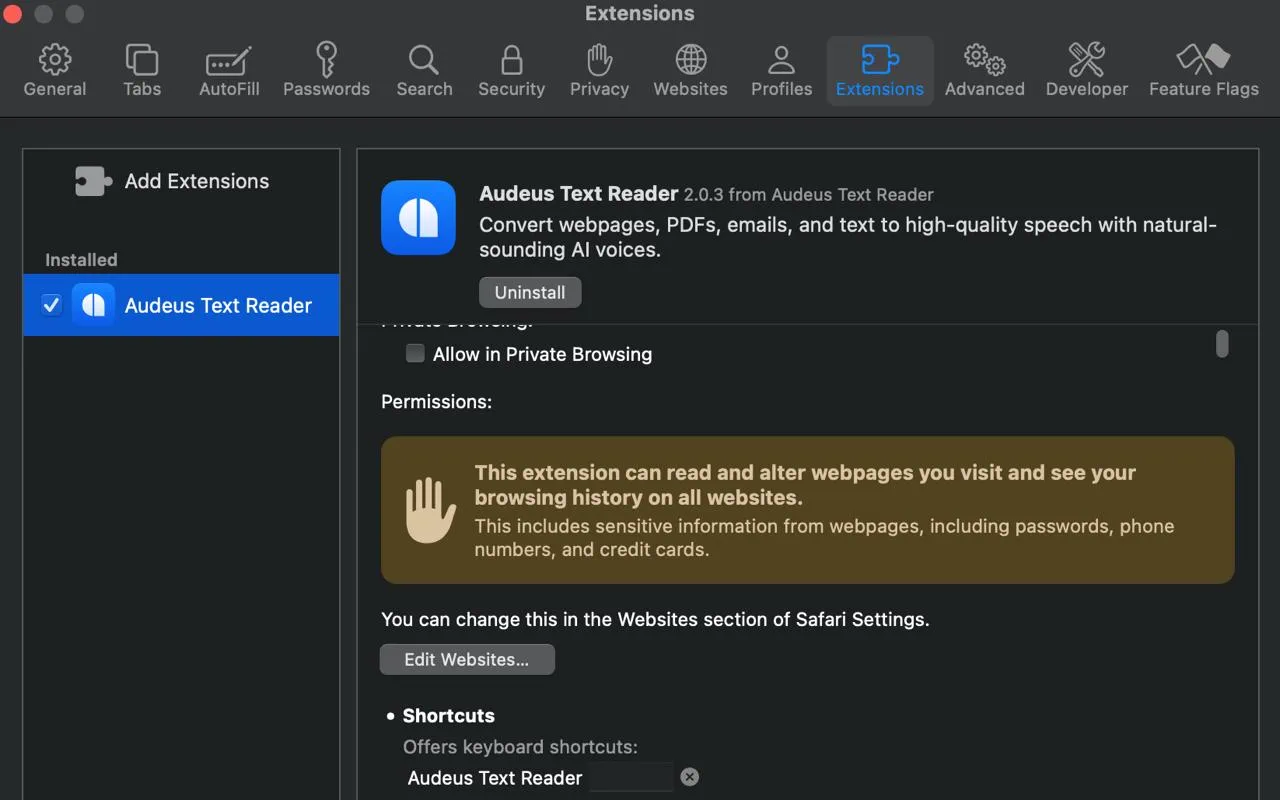
- Safari will open to the Extensions settings panel.
- Locate Audeus Text Reader in the left-hand menu of installed extensions and check the box next to it.
Once enabled, the blue Audeus icon will appear directly in your Safari toolbar, and the player will be ready to use.
Navigating the Safari Text-to-Speech Sidebar Player
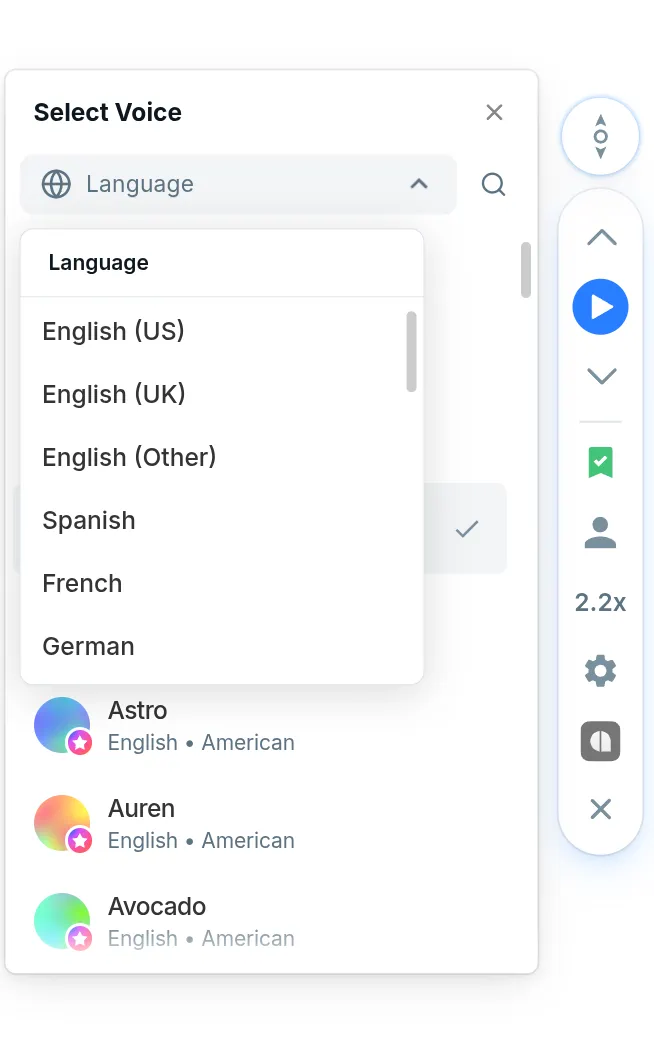
Once active, click the floating Audeus pill handle on the side of your web page to expand the sidebar controls:
- Playback Controls: Pause, play, or skip forward and back sentence-by-sentence.
- Word-Level Highlighting: Watch the text get highlighted in real-time as the narrator reads.
- Speed Adjustments: Speed up your listening up to 3.5x to get through research papers or newsletters faster.
- Cloud Sync: Save web articles directly to your account to access them on mobile devices.
Tailoring Your Reading Experience in Safari
Customize the extension settings to match your personal reading habits:
Smart Navigation Controls
- Click to Jump: Enable this in settings to skip directly to any paragraph on the page just by clicking the sentence you want to hear.
- Auto-Scrolling: Keep your place visual by allowing the browser to automatically scroll down and center the highlighted text as you listen.
Highlighting and Themes
Choose a visual style that is comfortable for your eyes:
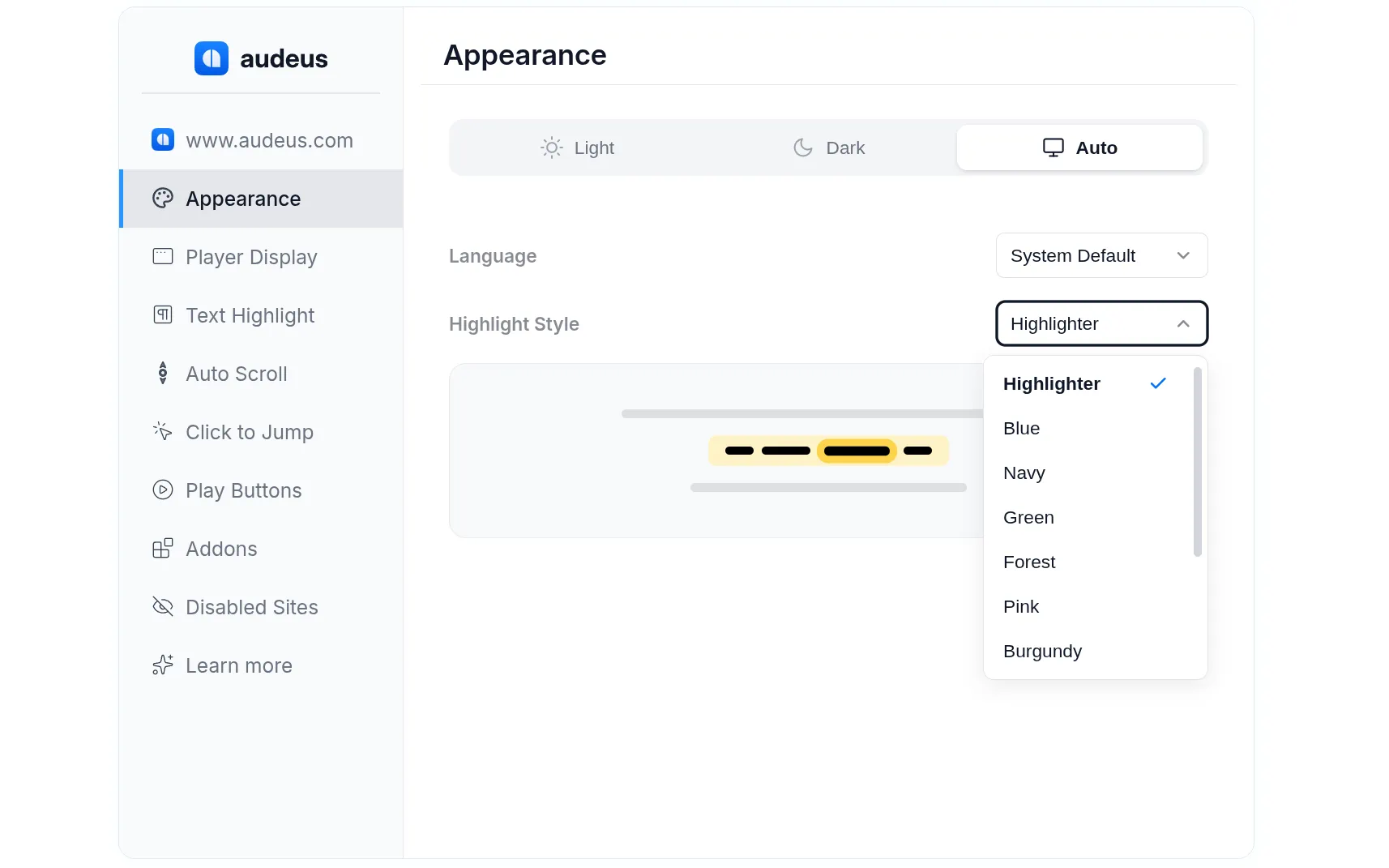
- Highlight Color Themes: Choose from custom color sets like Navy, Plum, Forest, Burgundy, or Orange in the Appearance tab.
- Display Themes: Switch between Light, Dark, or System modes to coordinate with your macOS styling preferences.
Seamless Compatibility with Web Apps
Unlike standard screen readers that read headers, footers, and ads, Audeus filters page noise and offers custom integrations for your daily productivity tools:
- Google Docs: Integrates natively within your workspace tabs for editing and listening.
- Gmail & Outlook Web: Renders direct audio buttons in your inbox, reading your text with standard inline highlight tracking.
- AI Assistance (ChatGPT & Gemini): Listens to chatbot responses with dedicated play buttons added next to the AI output.
- Reddit Threads: Groups comments and posts sequentially for easy thread parsing.
Frequently Asked Questions
Why isn't the Audeus extension showing up in my Safari toolbar?
Downloading and drag-dropping the app is only step one. You must launch the desktop app once, click Quit and Open Safari Extension Settings, and check the box next to Audeus in Safari's Settings window.
Does the Safari extension read web text automatically without manual highlights?
Yes! You do not need to highlight or select text. When you press play, Audeus automatically filters page clutter - like sidebars, menu bars, and footer advertisements - to isolate and read the main article text from beginning to end.
Can I read PDF files using this Safari extension?
To listen to PDFs, books, or ePub files, upload them directly to your personal library using the Audeus Web Reader or our mobile apps (iOS App / Android App). Your listening progress and highlights will sync automatically across all your devices.
Does my listening progress sync across devices?
Yes! When you click Save to Library on the Safari extension, the parsed article text is uploaded to your cloud library. You can instantly pick up where you left off on the Audeus Android App or Audeus iOS App with synchronized word-by-word position memory.
Do I need a paid account to use Audeus on Safari?
Audeus provides free access to all our standard text-to-speech voices. Access to ultra-lifelike AI voices is capped under a daily limit for free accounts. You can upgrade to Audeus Pro inside the extension settings menu to get full access to premium voices without daily caps.
Is there a battery efficiency benefit when using Safari on MacBook?
Yes. Audeus for Safari is built natively for macOS and optimized specifically for Apple Silicon (M-series chips). It operates with a low CPU and memory footprint, helping conserve your MacBook battery during long listening sessions.
Install Audeus on Other Browsers
If you use multiple web browsers, you can install the Audeus extension across other platforms to keep your library and reading preferences synced: