Create an Account
Welcome to Audeus! Creating a free account is your first step toward turning any text, document, or webpage into an immersive audio experience. Having an account allows you to securely sync your digital reading library, bookmarks, and exact reading progress across all your devices.
How to Sign Up for Audeus
You can create an account in just a few seconds using your web browser, our browser extensions, or the Audeus mobile apps.
Step 1: Open the Registration Screen
Navigate to the Audeus Sign Up Page or click the Sign Up button on the top right of the homepage. You can also trigger the sign-up screen from within any of our client apps or extensions.
Step 2: Choose Your Sign-Up Method
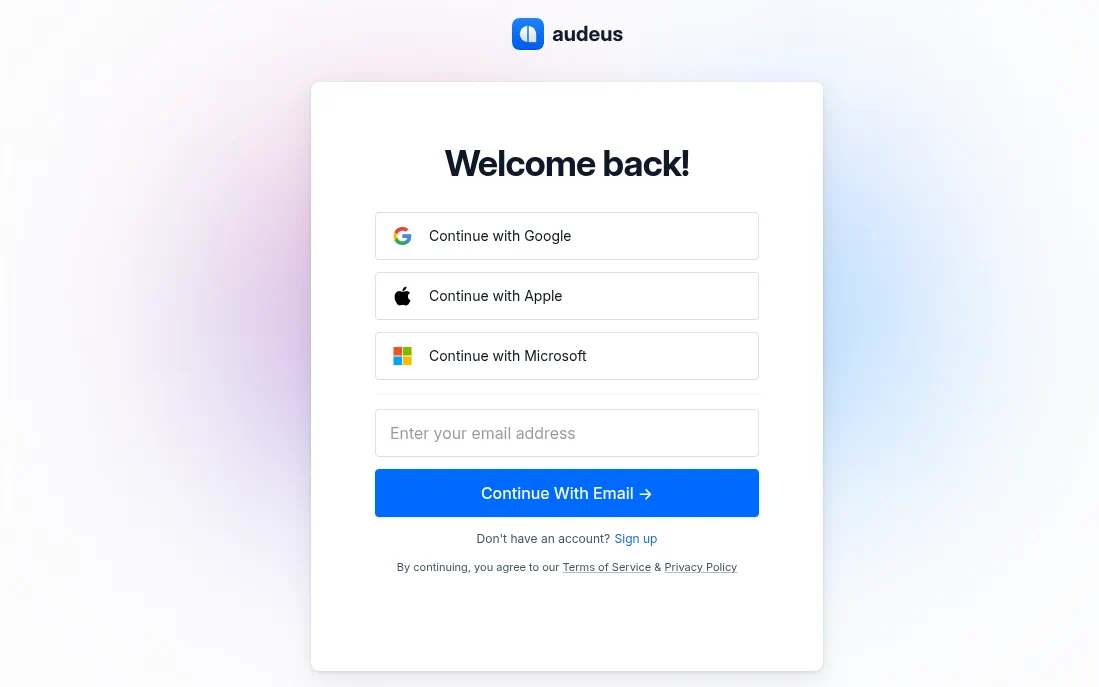
We support multiple fast and secure methods for registering:
- Google SSO (Single Sign-On): Click Continue with Google to instantly link your Google Account. This is the fastest method, doesn't require setting or remembering a password, and is highly recommended for Android users.
- Apple SSO: Click Continue with Apple if you prefer to authenticate using your Apple ID. This is highly recommended for users on iPhone, iPad, or Mac.
- Microsoft SSO: Click Continue with Microsoft to link your Microsoft account (such as Outlook, Live, or Office 365). This is perfect for Windows users or enterprise/school accounts.
- Passwordless Email Sign-In: Enter your email address and click Continue with Email. Audeus uses a secure, passwordless authentication flow to protect your credentials.
Step 3: Registration and Verification (Email Users Only)
Depending on whether you are signing up for the first time or returning, the email flow works differently:
- First-Time Sign-Up (Account Creation): When you sign up using your email address for the first time, Audeus instantly creates your account and logs you in immediately. There is no email verification step required to start listening and exploring your workspace right away.
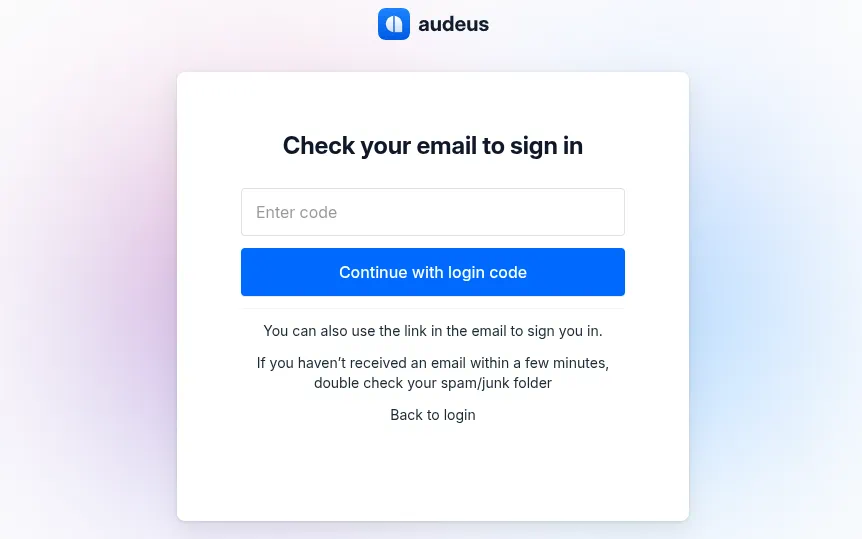
- Subsequent Sign-Ins (Returning Logins): When signing back into your account in the future (or from a new browser or device), Audeus will send a verification email to your inbox for security. You can complete the sign-in in one of two ways:
- Click the Magic Link: Open the email on your device and click Verify and Login. This will automatically sign you in.
- Enter the 6-Digit Code: Copy the 6-digit confirmation code from the email, return to the Audeus verification screen, enter it, and click Continue with Login Code.
Why Create an Audeus Account?
While you can test some basic AI voices on our homepage without registering, logging into your free Audeus account unlocks our entire listening ecosystem:
- Universal Library Sync: Save PDFs, web pages, and documents to your personal cloud library. Start reading on your desktop and pick up on your phone.
- Word-by-Word Reading Progress: Our sync engine saves your exact audio playback position in real time. If you pause on your laptop, opening the document on your phone resumes from the exact same word.
- Custom Voice & Speed Settings: Lock in your preferred playback speed (from 0.5x to 3.5x) and select your favorite hyper-realistic AI voices.
- Highlights & Notes: Any annotations, highlights, or bookmarks you make are saved securely and synced instantly.
Troubleshooting Login and Sign-Up Issues
If you run into any trouble during the sign-up process, try these troubleshooting steps:
I didn't receive my verification email or login code
- Check Spam/Junk folders: Search for an email from donotreply@audeus.com.
- Verify your spelling: Double-check that there were no typos in the email address you entered.
- Wait 2-3 minutes: Some email clients and providers can delay delivery of incoming messages.
- Request a new one: Click Back to login and enter your email address again to trigger a new link and code.
The Magic Link or Code has expired
For security reasons, magic links and login codes expire after 15 minutes. If your code or link has expired, return to the login page, enter your email address again, and request a new verification email.
Can I switch my login method later?
Your account is bound to your email address. If you sign up using Google SSO with user@gmail.com, and later log in via the email verification code with user@gmail.com, you will access the same account. However, we recommend consistently using the same provider to keep your login experience simple.
Can I change my email address?
Yes, you can change the email address associated with your Audeus account. While you cannot modify it directly from the settings menu, you can request an email change by contacting support, and our team will process the update for you.
Next Steps
Now that your account is set up, get fully connected:
- Install the Audeus Chrome Extension to listen to articles on the web.
- Download Audeus for iOS to listen on the go.
- Download Audeus for Android to listen on the go.
- Learn how Universal Sync keeps your library in lockstep across devices.