International Voices & Languages
Audeus is a global reading assistant. Our platform supports over 50 international languages and regional dialects, allowing you to read foreign web pages, study as a language learner, or listen to documents in your native tongue using ultra-realistic AI narrator voices.
How to Switch Languages and Accents
To filter and choose international voices on any platform:
On the Web Reader and Browser Extension
- Open your document inside the Web Reader or open the floating widget menu on the Browser Extension.
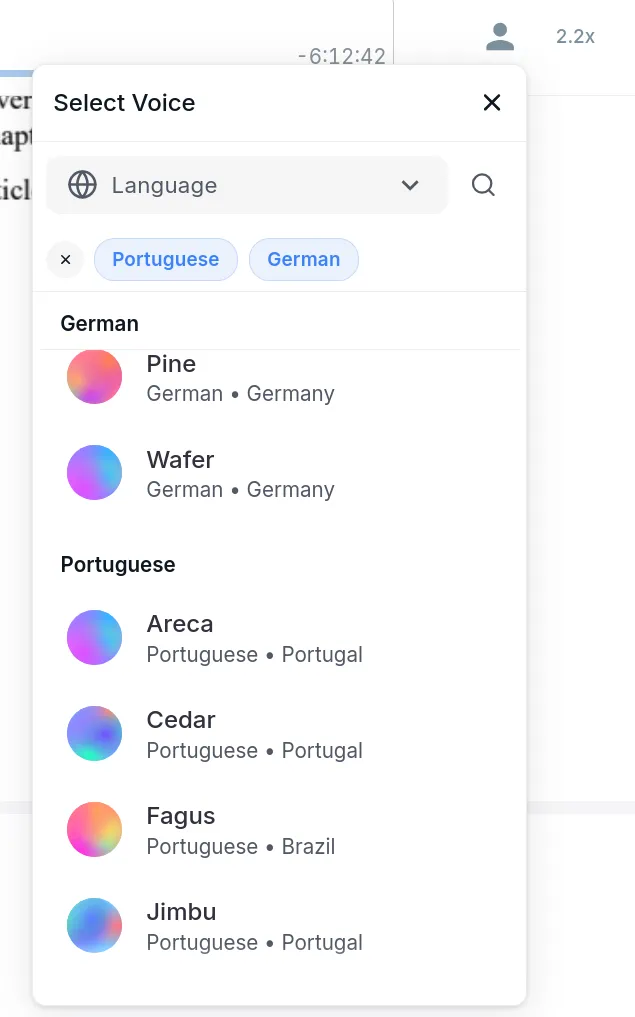
- Tap the Change Voice button (represented by a person silhouette icon) to open the selector.
- Tap the Language Dropdown (featuring a Globe icon) at the top of the menu.
- Click on your target language (such as Spanish, French, or German) to filter the list.
- Browse the regional dialects available (for example, choosing between British English and US English, Spanish from Spain vs. Spanish from Mexico, or Portuguese from Portugal vs. Brazilian Portuguese).
- Tap a voice card to hear a preview, and select it to apply it to your reader.
On the Mobile App
- Open a document to enter the player view, or navigate to the Profile tab and open Preferences.
- Tap the Voice icon in the toolbar.
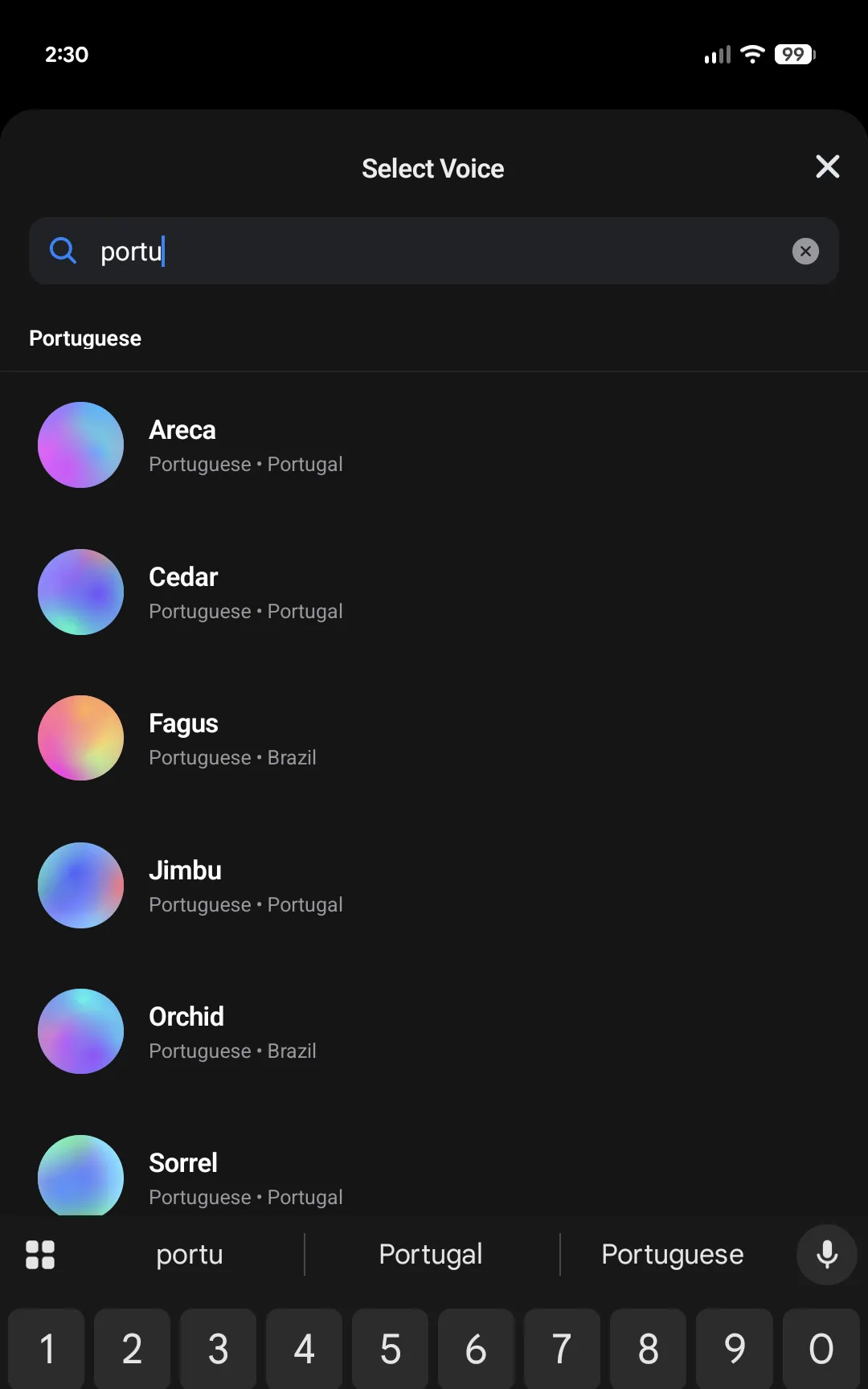
- In the bottom sheet modal that slides up, you can search for your desired language or regional dialect using the search bar (for example, by typing Spanish, French, or Portuguese to filter the list).
- Alternatively, scroll down to browse the available narrator voices, which are categorized by language groups.
- Select your preferred voice accent card to apply it.
Multilingual AI Voice Models
For documents that contain mixed-language text (for example, an English article with French quotes or Spanish phrases), Audeus supports Multilingual AI voices. These models are trained to detect and pronounce mixed languages fluidly within a single reading session without sounding robotic or mispronouncing foreign terms.
To find these models, search for the Multilingual tag or select the Multilingual language category in the voice library dropdown.
Frequently Asked Questions
Does Audeus support Brazilian Portuguese?
Yes! Portuguese (including Brazilian Portuguese) is fully supported with dedicated high-quality AI voice models designed for accurate accent pronunciation.
Are regional accents available in English?
Yes. Audeus features a wide variety of English dialects, including US English, British English, Australian, Indian, and South African accents to suit your listening preferences.
How do I save my language and accent settings?
Your selected narrator voice and language preferences are automatically saved to your user profile. If you are logged in, these settings sync instantly and apply across the Web Reader, Mobile App, and Browser Extension.