Read Emails in Gmail and Outlook
Getting through a crowded inbox can take hours of screen time. Whether you use Gmail or Microsoft Outlook on the web, you can use the Audeus browser extension to read your emails aloud. This allows professionals to listen to daily newsletters, client briefs, and long email chains while multitasking or resting their eyes.
Install the Audeus Browser Extension
The Audeus extension must be active on your web browser to use the email integrations. Check our installation guides to get set up:
- Install Audeus on Google Chrome
- Install Audeus on Apple Safari
- Install Audeus on Mozilla Firefox
- Install Audeus on Microsoft Edge
To ensure the extension can overlay play controls in your inbox, make sure you have granted site access permissions. You can read how to do this in our browser-specific guides, such as the Chrome Permissions Section.
How to Read Emails in Gmail
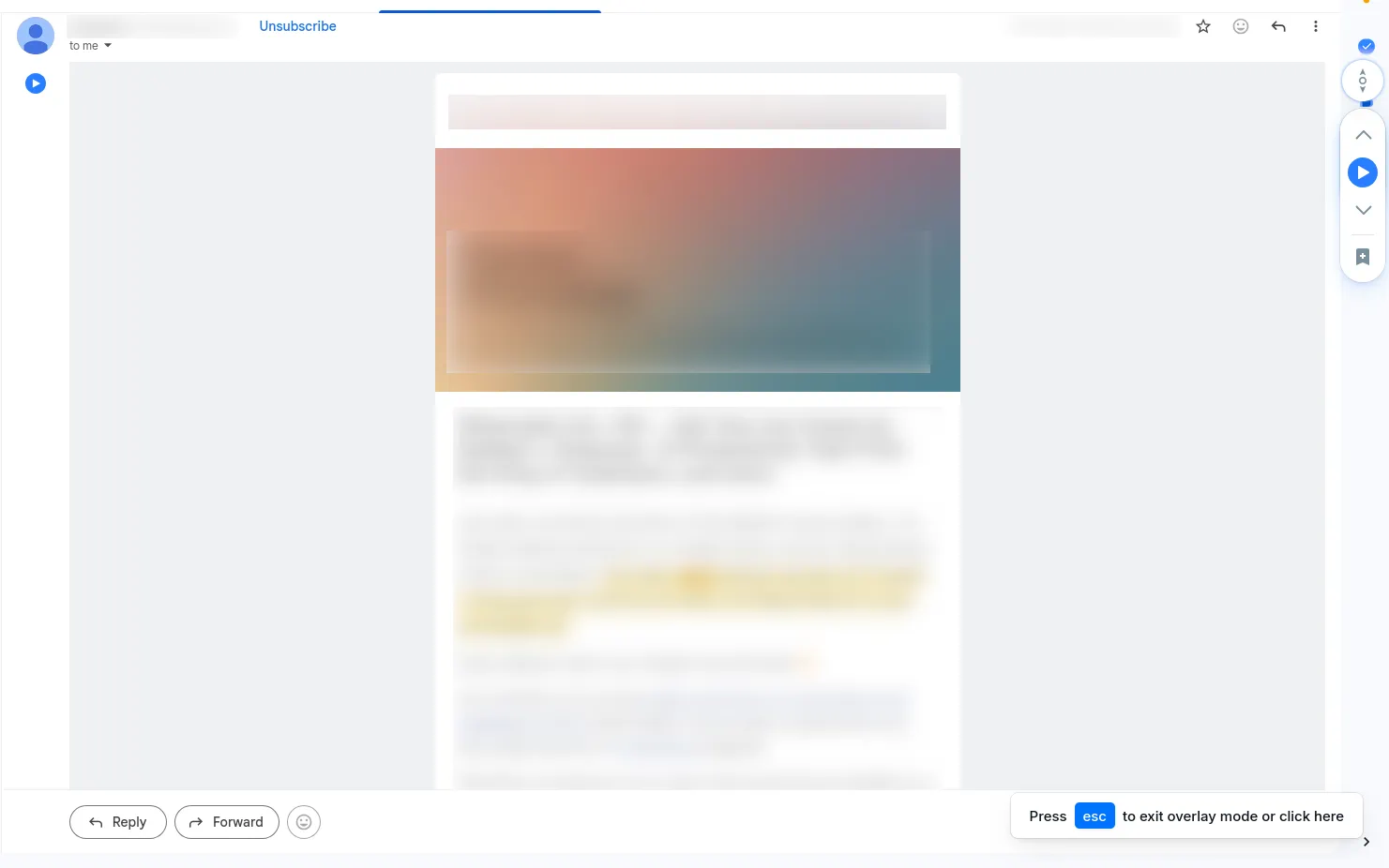
Audeus inserts native play buttons directly into the Gmail web interface (mail.google.com):
Reading Incoming Emails
Open any email thread. You will see a clean Audeus Play Button positioned directly under the sender's avatar at the top of the message. Click it to start listening.
Proofreading Outgoing Drafts
When composing a new message or writing a reply, Audeus embeds a Play Button directly into the Gmail compose toolbar, right next to the Send button. You can listen to your draft read aloud to check for typos and grammar before sending.
How to Read Emails in Microsoft Outlook
Audeus integrates with the Outlook Web client (outlook.office.com or outlook.live.com) to streamline your email reading:
Reading Incoming Emails
Open any email. Audeus inserts a Play Button directly into the Outlook email toolbar at the top of the message container.
Proofreading Outgoing Drafts
When replying or composing in the message editor, a Play Button appears inside the bottom toolbar next to the Send button.
Frequently Asked Questions
Does Audeus read email signatures and replies?
Audeus is optimized to parse emails cleanly. It automatically bypasses repetitive elements like email signatures, previous reply threads, dates, and header data, focusing exclusively on the active message content.
Can I draft replies while listening?
Yes, absolutely! Because the extension works as a lightweight browser overlay, you can open the compose box and type your reply while the narrator continues reading the message body aloud.
Can I use this with the desktop Outlook application?
The Audeus integration is designed for web browsers and is fully optimized for Outlook Web and Gmail in your browser tab. If you use desktop email clients, we recommend logging into your mail provider via Chrome, Safari, Firefox, or Edge to access the player.
Does Audeus read my private email data?
Audeus respects your privacy. All text extraction and narration processing are handled locally within your active browser tab. We do not store, track, or share your email data.
Why are the play buttons not appearing in my inbox?
If you do not see the play buttons, check that the Audeus extension has proper site access permissions. You can find detailed steps to enable this for your browser in our Chrome Site Access Guide.